Опубліковано: 2026-05-13
What is Bcrypt? Why MD5 is Dead for Passwords
MD5 crumbles in seconds on modern GPUs. Bcrypt was built to resist that. Here's the math, the benchmarks, and why your choice of hash algorithm is a life-or-death decision for your users.
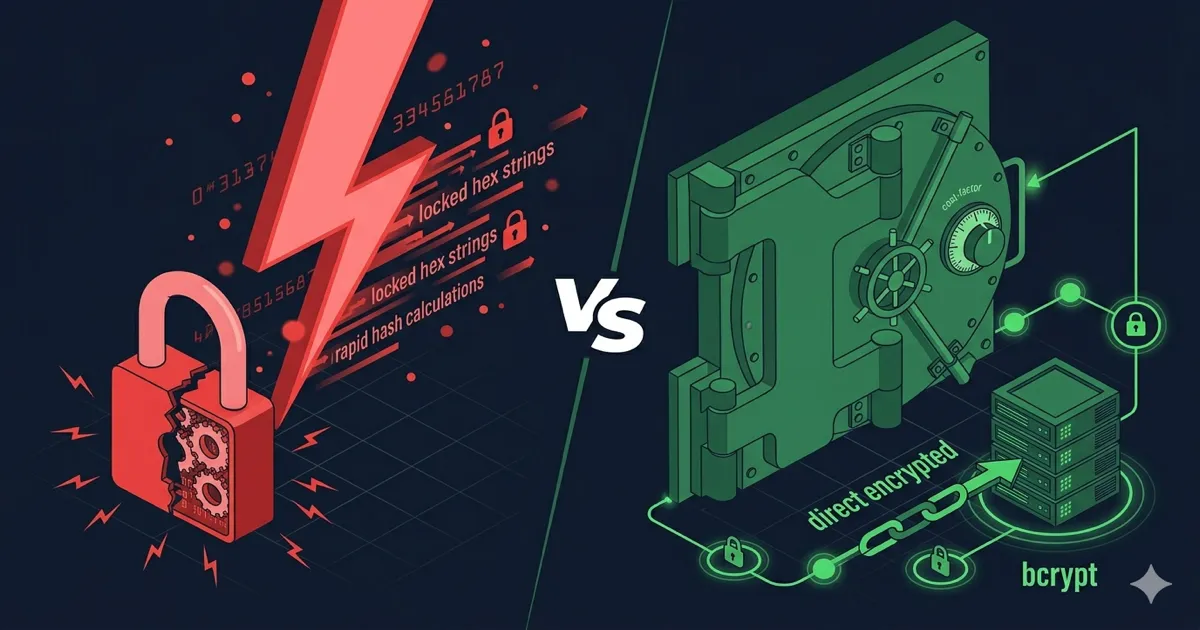
MD5 is not a password hash. It never was. It's a checksum algorithm — designed in 1992 to verify file integrity, not protect credentials. Yet millions of password databases still use it, and they pay for that mistake when they get breached.
Here's the blunt reality: an RTX 4090 can attempt 164 billion MD5 hashes per second. Your users' "secure" 8-character passwords — the ones with the capital letter and the exclamation mark — fall in under 200 milliseconds. Bcrypt was engineered to make that attack economically impossible. This guide explains exactly why, with numbers.
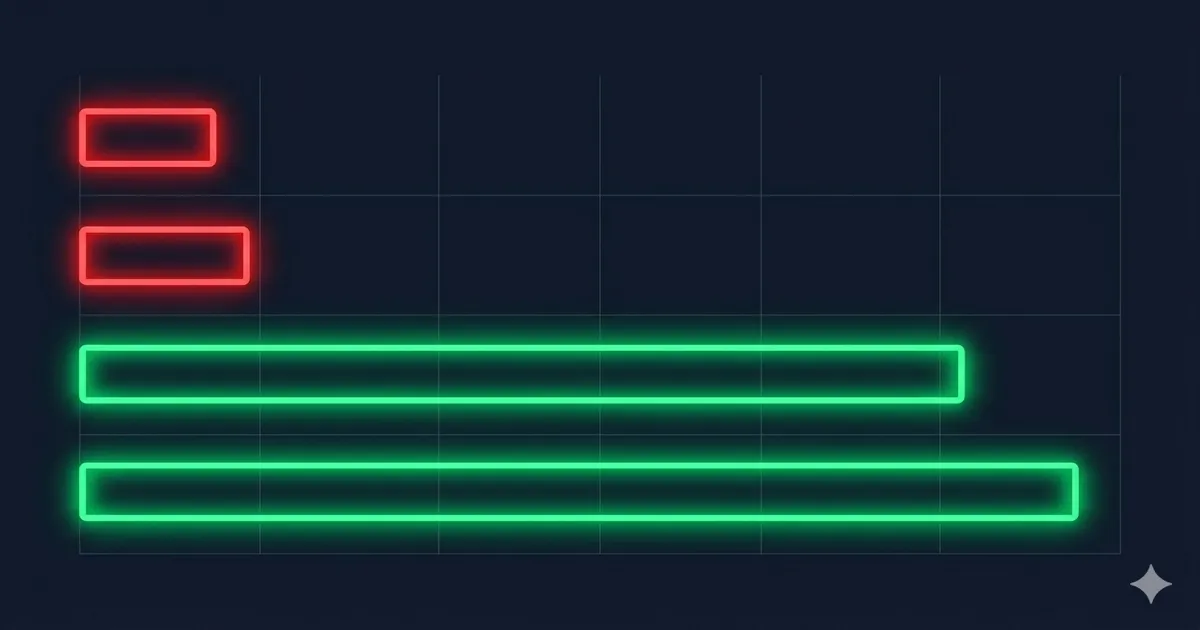
Why MD5 is Broken for Passwords
MD5 produces a 128-bit hash in under a microsecond. That speed is a feature for file integrity verification. For passwords, it's a catastrophic flaw.
The attack surface has three layers:
1. Raw cracking speed. Modern GPUs treat MD5 hashing as embarrassingly parallel work. hashcat on an RTX 4090 cluster doesn't "crack" passwords — it just pre-computes them faster than you can rotate them.
2. Rainbow tables. Since MD5 is deterministic and unsalted by default, the same password always produces the same hash. Attackers pre-compute billions of hash→password mappings. When they steal your database, lookup is O(1).
3. Collision attacks. MD5 is cryptographically broken — two different inputs can produce the same hash. This matters for digital signatures, not password cracking, but it's another reason the algorithm has zero legitimacy in a security context.
The fix isn't "use SHA-256 instead." SHA-256 is also fast — ~23 billion hashes/sec on an RTX 4090. Fast is the problem.
What Bcrypt Actually Does
Bcrypt was published in 1999 by Niels Provos and David Mazières. It's based on the Blowfish block cipher and was specifically designed for password storage with two key properties that MD5 lacks entirely.
Built-in salt. Bcrypt generates a cryptographically random 128-bit salt per password, automatically. The salt is stored alongside the hash. This makes rainbow table attacks impossible — each hash is unique even for identical passwords.
Adaptive cost factor. The work factor (cost) is a tunable parameter. At cost=12, bcrypt performs 2¹² = 4,096 internal iterations of the Blowfish key setup. Bump it to cost=13 and you double the computation time. As hardware gets faster, you increase the cost. MD5 gives you no such lever.
A bcrypt hash looks like this:
$2b$12$LQv3c1yqBWVHxkd0LHAkCOYz6TtxMQJqhN8/LevH.6/Jwejc5/Hre
Breaking it down: $2b$ = algorithm version, $12$ = cost factor, next 22 chars = salt, remaining 31 chars = hash. Everything you need to verify the password lives in that string.
The Hashing Pipeline: What Actually Happens
Understanding the data flow kills a lot of implementation bugs. Here's what bcrypt does under the hood when you call bcrypt.hash(password, 12):
password (plaintext)
        │
        ▼
  [Generate 128-bit salt]  ← crypto.getRandomValues() or OS /dev/urandom
        │
        ▼
  [Concatenate: salt + password]
        │
        ▼
  [EksBlowfishSetup: 2^cost key expansion iterations]
        │                    ← this is the intentionally slow part
        ▼
  [64-bit Blowfish encrypt  "OrpheanBeholderScryDoubt"  × 64]
        │
        ▼
  [Encode: version + cost + salt + hash → 60-char string]
        │
        ▼
  "$2b$12$<22-char salt><31-char hash>"  ← store this in DB
Verification is the reverse: extract the salt and cost from the stored string, run the same pipeline on the login attempt, compare outputs. The plaintext never needs to be stored anywhere. If the strings match, the password is correct.
Two things to notice: the salt goes in before the KDF, not appended after. And the output is self-contained — you never need a separate lookup to verify.
The Numbers: GPU Benchmarks in 2026
This is where the gap becomes visceral. All figures are hashcat benchmarks on a single NVIDIA RTX 4090:
| Algorithm | Hashes/sec (RTX 4090) | Time to crack 8-char password |
|---|---|---|
| MD5 | ~164 billion/sec | < 0.1 seconds |
| SHA-1 | ~61 billion/sec | < 0.3 seconds |
| SHA-256 | ~23 billion/sec | ~1 second |
| bcrypt cost=10 | ~184,000/sec | ~150 days |
| bcrypt cost=12 | ~46,000/sec | ~1,600 days |
| Argon2id | ~15,000/sec | ~13 years |
That's not a small gap. It's four to six orders of magnitude. The difference between MD5 and bcrypt is the difference between a screen door and a vault.
The Entropy Angle
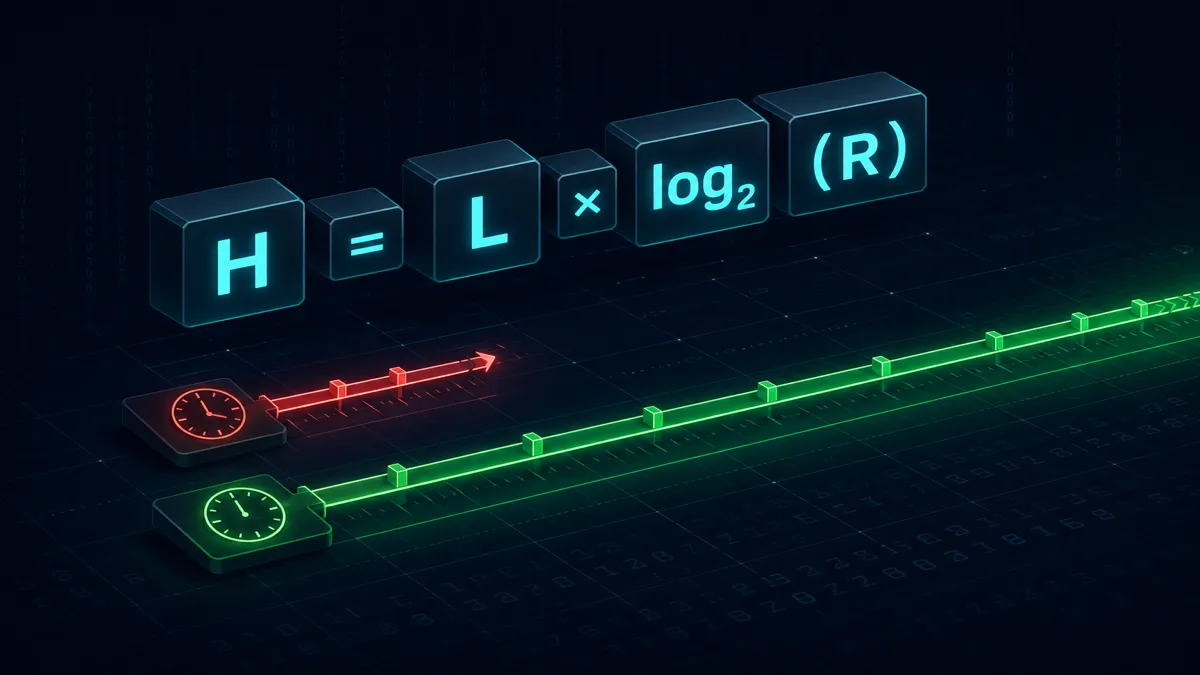
Password entropy tells you how much brute-force work is needed regardless of the hashing algorithm. The formula:
$$H = L \times \log_2(R)$$
Where H = entropy in bits, L = password length, R = character pool size (charset).
For an 8-character password using full printable ASCII (95 characters):
$$H = 8 \times \log_2(95) \approx 8 \times 6.57 \approx 52.6 \text{ bits}$$
52.6 bits sounds like a lot. Against MD5 at 164 billion attempts/sec, that's 2^52.6 / 164×10⁹ ≈ ~25 seconds to exhaust the full space. Against bcrypt at cost=12 running 46,000 attempts/sec: 2^52.6 / 46,000 ≈ ~1,600 years.
Same password. Same entropy. Wildly different practical security. The algorithm is doing 99% of the work here.
Choosing a Cost Factor
Bcrypt's cost factor is an exponent. Cost=12 means 4,096 iterations. Cost=13 means 8,192. Each increment doubles the work.
OWASP's current guidance for interactive login:
| Environment | Minimum Cost | Target Login Time |
|---|---|---|
| Low-traffic web app | 10 | < 100ms |
| Standard production | 12 | 100–200ms |
| High-security (banking, admin) | 13–14 | 200–400ms |
| API endpoints (no UX constraint) | 14+ | up to 1 sec |
Benchmark on your actual hardware. The goal is to make it genuinely slow without ruining UX. If you're at cost=10 and login takes 50ms, you have two free increments before you hit 200ms.
Rehash on login. When a user authenticates, check their stored cost factor. If it's below your current minimum, rehash with the new factor and update the record. This upgrades your hash database transparently, without forcing a password reset.
Bcrypt vs Argon2id: Do I Need to Migrate?
Argon2id won the Password Hashing Competition in 2015. It's memory-hard — configurable RAM requirements make it dramatically more expensive for GPU and ASIC attacks because memory is harder to parallelize than raw compute.
Why "Memory-Hard" Destroys GPU Attacks
GPUs win at password cracking because they have thousands of small cores running in parallel. An RTX 4090 has 16,384 CUDA cores. Against MD5, all 16,384 cores can work independently — no coordination, no shared state, pure throughput.
Memory-hard algorithms break that model. Argon2id requires each hash operation to allocate and actively use a configurable amount of RAM (the m parameter). At m=19456 (19 MB), a single hash needs 19 MB of memory throughout its execution — not just at the start.
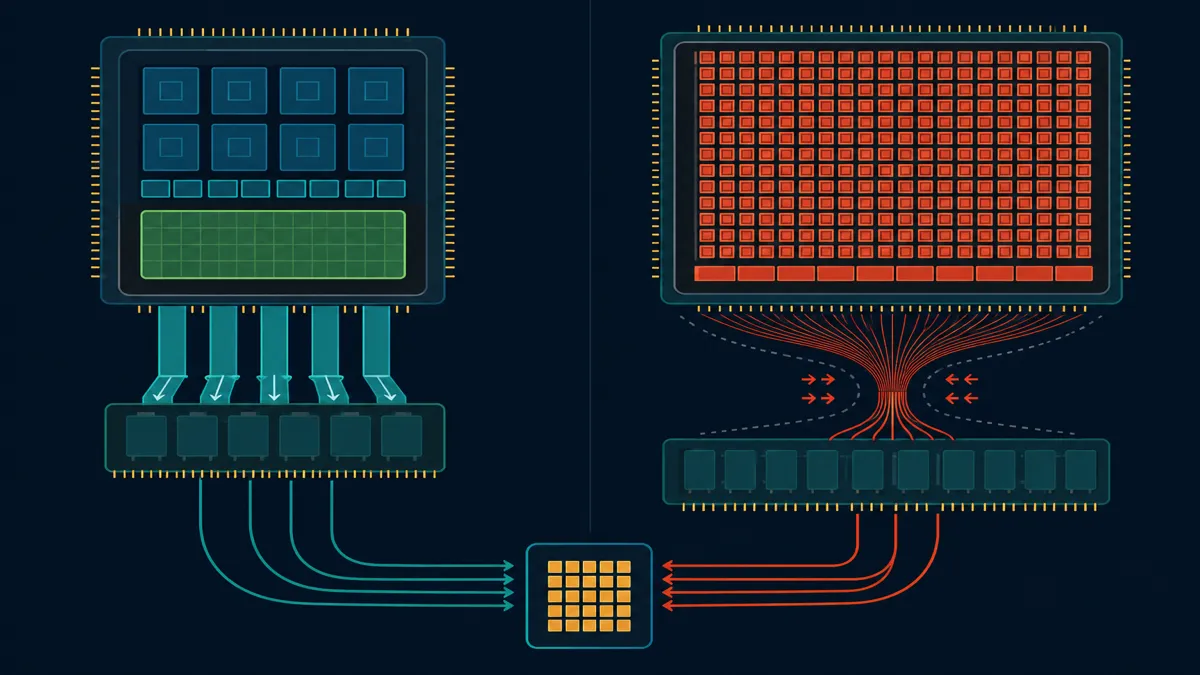
The math kills the GPU: an RTX 4090 has 24 GB of VRAM. At 19 MB per hash attempt, you can run at most ~1,260 parallel Argon2id operations simultaneously. Compare that to bcrypt, where the memory footprint is trivial and GPU parallelism is only limited by compute.
| Resource | MD5 | bcrypt | Argon2id |
|---|---|---|---|
| Memory per attempt | < 1 KB | ~4 KB | 19 MB (configurable) |
| RTX 4090 parallel ops | ~16,000 | ~1,000 | ~1,260 |
| Cache pressure | None | Low | Extreme |
| ASIC resistance | None | Low | High |
The key insight: memory bandwidth is the same bottleneck for both CPUs and GPUs. A modern CPU with a large L3 cache actually handles Argon2id's access patterns more efficiently than GPU VRAM. That's by design — the algorithm was built to level the playing field between a defender's server CPU and an attacker's GPU farm.
For new systems: use Argon2id. The OWASP recommendation is m=19456 (19 MB), t=2 iterations, p=1 parallelism.
For existing systems using bcrypt at cost ≥ 12: don't panic-migrate. Bcrypt at high cost is still practically uncrackable with today's hardware. The attack delta between bcrypt-12 and Argon2id is real but measured in threat models, not emergency patches. Migrate on your next major auth refactor, not tonight at 2am.
What you should migrate immediately: anything still using MD5, SHA-1, or unsalted SHA-256. Those are actively exploitable.
Verifying Hashes Client-Side
To test SHA-256 and HMAC hashes without sending data to a server, use our Hash Generator — runs 100% in your browser, zero data sent to any server — supporting MD5, SHA-1, SHA-256, and SHA-512 with HMAC mode and file input. Useful for verifying checksums, testing HMAC implementations, and understanding the raw output difference between algorithm families.
For checking the practical strength of the passwords you're about to store, the Password Strength Checker gives you entropy bits and crack-time estimates against MD5 and bcrypt — instantly, client-side.
🛡️ Security Checkpoint — Complete This Step
If you're shipping a login system, your algorithm choice is permanent until you force a password reset. Make the right call now.
- → Hash Generator — verify SHA-256 / HMAC output without sending data to a server
- → Password Strength Checker — see crack-time estimates against MD5 and bcrypt for real inputs
- → Password Generator — generate cryptographically secure passwords using
crypto.getRandomValues(), notMath.random()
The Right Way: Argon2id in Node.js
Theory is worthless without working code. Here's the minimal correct implementation using the argon2 package — the most widely-used Node.js binding for libargon2:
npm install argon2
import argon2 from 'argon2'

// Hash a password (on registration / password change)
async function hashPassword(plaintext) {
  return argon2.hash(plaintext, {
    type: argon2.argon2id,      // Argon2id = hybrid of Argon2i + Argon2d
    memoryCost: 19456,          // 19 MB — OWASP minimum 2026
    timeCost: 2,                // 2 passes over memory
    parallelism: 1,             // 1 thread (scale up on multi-core servers)
  })
  // Returns: "$argon2id$v=19$m=19456,t=2,p=1$<salt>$<hash>"
  // Store the entire string — salt is embedded
}

// Verify a password (on login)
async function verifyPassword(storedHash, plaintext) {
  return argon2.verify(storedHash, plaintext)
  // Returns: true | false
  // argon2.verify extracts salt + params from storedHash automatically
}

// Example login handler
async function login(email, passwordAttempt) {
  const user = await db.users.findByEmail(email)
  if (!user) return false                           // don't reveal "no such user"

  const valid = await verifyPassword(user.passwordHash, passwordAttempt)
  if (!valid) return false

  // Rehash on login if params are outdated (transparent upgrade)
  if (argon2.needsRehash(user.passwordHash, { memoryCost: 19456, timeCost: 2 })) {
    const newHash = await hashPassword(passwordAttempt)
    await db.users.updateHash(user.id, newHash)
  }

  return true
}
Three things worth calling out explicitly:
argon2.verify()is timing-safe — it uses a constant-time comparison internally. Don't roll your own string comparison.needsRehash()checks whether the stored hash was created with weaker parameters. This is how you upgrade your entire user base silently, on next login, without a forced password reset.- The full
$argon2id$...string goes into one DB column. No separate salt column, no separate params column. The format is self-describing.
For bcrypt on a legacy system, the equivalent with bcrypt:
import bcrypt from 'bcrypt'

const COST = 12

const hash = await bcrypt.hash(plaintext, COST)
const valid = await bcrypt.compare(plaintext, storedHash)
That's it. If your implementation is longer than this, you're probably doing something wrong — or reimplementing something the library already handles.
Common Implementation Mistakes
Hashing before bcrypt. Some developers SHA-256 the password first, then bcrypt the result. Don't. Bcrypt truncates input at 72 bytes — pre-hashing to hex (64 bytes) is fine, but it adds complexity with no security benefit for normal passwords. It matters only for passwords longer than 72 characters, which almost no user creates.
Storing the salt separately. You don't need to. The salt is embedded in the bcrypt output string. If you're pulling it out and storing it in a separate column, you misread the docs.
Logging the pre-hash password. This happens more than anyone admits. Your debug logger catches the login request, logs the payload, and now you have plaintext passwords in your log files. Scrub password fields at the framework layer before they reach your logger.
The Pepper Pattern: Salt's Underrated Sibling
Salt protects against rainbow tables. But here's the threat model salt doesn't cover: an attacker who dumps your entire database can see every salt. They know the algorithm. They can run offline attacks against every hash simultaneously.
A pepper (sometimes called a server-side secret) closes that gap. It's a secret value stored outside the database — in an environment variable, a secrets manager, or HSM — that gets mixed with the password before it reaches the KDF. If the database leaks but the server isn't compromised, the attacker has hashes they can't crack because they don't have the pepper.
// Pepper pattern — append before hashing, never store the pepper itself
const PEPPER = process.env.PASSWORD_PEPPER   // 32-byte random hex, from secrets manager

async function hashWithPepper(plaintext) {
  return argon2.hash(plaintext + PEPPER, { type: argon2.argon2id, memoryCost: 19456, timeCost: 2 })
}

async function verifyWithPepper(storedHash, plaintext) {
  return argon2.verify(storedHash, plaintext + PEPPER)
}
Pepper rotation is the hard part. When you rotate the pepper (and you should, on a schedule or after any server compromise), you can't verify existing hashes — you need the old pepper to verify and re-hash. Standard approach: store a pepper_version column alongside the hash, keep old peppers in your secrets manager under versioned keys, migrate on next login.
The threat model is narrow but real. If you store highly sensitive credentials (banking, healthcare, admin accounts) and you expect targeted database exfiltration, the pepper is worth the operational complexity. For general-purpose web apps with bcrypt cost ≥ 12, the practical risk delta is small.
Frequently Asked Questions
Is MD5 safe for password storage in 2026?
No. An RTX 4090 runs MD5 at ~164 billion hashes per second. An 8-character all-ASCII password has a search space of about 2^52.6 — that's exhausted in under 30 seconds at full throughput. MD5 was designed for file integrity checking in 1992. It was never a password hashing algorithm.
What is bcrypt and how does it work?
Bcrypt is an adaptive password hashing function built on the Blowfish cipher. Each call generates a fresh 128-bit cryptographic salt, runs 2^cost iterations of the Blowfish key setup, and outputs a 60-character string containing the version, cost factor, salt, and hash — everything needed to verify the password later. The cost factor is the key innovation: you increase it as hardware improves, keeping brute-force attacks slow indefinitely.
What cost factor should I use for bcrypt in 2026?
OWASP recommends cost=12 as the minimum for production systems. Benchmark on your hardware: aim for 100–200ms login time. If you're under 100ms, increment the cost. If you're over 400ms, consider whether your authentication infrastructure needs scaling before reducing cost. Re-benchmark every 18 months — GPU performance improvements are relentless.
Is bcrypt better than Argon2?
Argon2id has better theoretical security because it's memory-hard, which degrades GPU parallelism. But bcrypt at cost ≥ 12 is still practically uncrackable with current hardware. For new projects, start with Argon2id. For existing bcrypt implementations: upgrade on your next auth refactor, don't do emergency migrations.
Can I use SHA-256 for password hashing?
No. SHA-256 is a general-purpose cryptographic hash function optimized for speed — ~23 billion hashes/sec on an RTX 4090. It has no cost factor, no built-in salt, and no adaptive properties. Use it for data integrity, HMAC authentication, and digital signatures. For passwords, use bcrypt (cost ≥ 12) or Argon2id.