Опубліковано: 2026-05-17
Securing Your .env Files: 2026 Best Practices
Your .env file holds database passwords, API keys, and signing secrets. One git push and they're public forever. Here's the complete security checklist — for real this time.
That file named .env in your project root? It's a skeleton key. Database credentials, third-party API keys, JWT signing secrets, OAuth client secrets — all sitting in plaintext, one accidental git add . away from public exposure.
Leaked .env files are one of the most common (and most expensive) causes of cloud account takeover. GitHub's secret scanning catches thousands of exposed credentials daily. The ones it misses end up on dark web paste sites within hours. This guide covers what actually matters in 2026: entropy math for secrets, proper storage architecture, and the tooling to generate secrets that don't need rotating in a week.
Why .env Files Are Attacker Gold
A compromised database password costs you one database. A compromised AWS ACCESS_KEY_ID costs you the entire cloud account — compute, storage, and every service attached to that identity. Attackers know this. Automated scanners crawl GitHub, GitLab, and Bitbucket continuously, indexing new commits within minutes. Some focus specifically on .env extensions and common variable name patterns like DB_PASSWORD, SECRET_KEY, and API_TOKEN.
The threat model has three layers:
- Accidental commit — developer runs
git add .without checking what's staged - Exposed container — Docker image built with
.envbaked into a layer, pushed to a public registry - Log injection — application logs full environment variable dumps on error, logs shipped to a third-party aggregator
All three are preventable. None of them require a sophisticated attacker. That's the problem.
The Seven Mistakes That Get DevOps Teams Fired
1. Missing .gitignore Entry
The obvious one, but teams still ship it. Every project should have .env in .gitignore before the first commit — not after the first deployment.
# .gitignore
.env
.env.local
.env.*.local
.env.production
Critical: .gitignore doesn't untrack files already committed. If .env is in your git history, run git rm --cached .env and rotate every secret in it immediately. Assume it's been scraped.
2. Sharing Secrets via Slack or Email
Secrets passed through messaging apps live in search indexes, notification caches, and third-party servers forever. Use a secrets manager or at minimum a self-destructing share tool — never a DM.
3. Committing .env.example With Real Values
.env.example is supposed to contain placeholder values. Real credentials in the example file defeat the entire point. Audit the example file before every commit.
4. Identical Secrets Across Environments
Reusing the same JWT_SECRET between development, staging, and production means a staging breach exposes production tokens. Environment-specific secrets, always — no exceptions.
5. Long-Lived Secrets With No Rotation Policy
API keys issued three years ago and never rotated are the digital equivalent of a master key taped to the front door. Set a rotation schedule — 90 days maximum for production secrets.
6. Overly Permissive File Permissions
On Linux/macOS, .env files should be 600 (owner read/write only). Check with ls -la .env and fix with chmod 600 .env. World-readable env files on shared servers are a silent data exfiltration vector.
7. Secrets in CI/CD Environment Variables That Get Logged
CI platforms often echo environment variables in build logs. Always mask secrets in your CI platform's settings and avoid echo $SECRET_KEY in build scripts. A single unmasked log line shipped to a third-party aggregator is a breach.
The Math: How Secure Is Your Secret Actually?
A secret's strength is measured in entropy bits — the number of bits required to exhaust its search space. The formula:
$$H = L \times \log_2(R)$$
Where: H = entropy in bits, L = secret length in characters, R = character pool size (charset).
For a 32-character hex secret (16 possible values per character):
$$H = 32 \times \log_2(16) = 32 \times 4 = 128 \text{ bits}$$
For a 64-character alphanumeric+symbol secret (94 possible values):
$$H = 64 \times \log_2(94) \approx 64 \times 6.55 \approx 420 \text{ bits}$$
Here's what those entropy levels mean against real 2026 hardware — an RTX 4090 running at ~23 billion SHA-256 guesses per second:
| Secret Format | Length | Entropy (bits) | RTX 4090 Crack Time (SHA-256) |
|---|---|---|---|
| Hand-typed "secret" | ~10 chars | ~47 bits | Under 1 hour offline |
| 4-digit PIN | 4 chars | 13 bits | Instant |
| UUID v4 | 36 chars | 122 bits | Heat death of the universe |
| 32-char hex (CSPRNG) | 32 chars | 128 bits | Heat death of the universe |
| 64-char alphanumeric | 64 chars | ~420 bits | Physically impossible |
The hand-typed secret is the real enemy. Most developers will write something like myappsecret2026 and move on. That's ~47 bits of entropy — crackable in under an hour offline. Your brain is a terrible CSPRNG.
Secret Storage Architecture: What to Use and When
| Storage Method | Local Dev | CI/CD | Production | Notes |
|---|---|---|---|---|
.env file | ✅ Acceptable | ❌ Never | ❌ Never | Git-ignored only |
| CI/CD secrets UI | — | ✅ Masked vars | — | GitHub Actions, GitLab CI |
| HashiCorp Vault | Optional | ✅ | ✅ Best self-hosted | Dynamic secrets support |
| AWS Secrets Manager | — | ✅ | ✅ | IAM-integrated, auto-rotation |
| GCP Secret Manager | — | ✅ | ✅ | Per-access audit logs |
| Doppler | ✅ | ✅ | ✅ | SaaS, team sharing, DX-friendly |
| Hardcoded in source | ❌ Never | ❌ Never | ❌ Never | No exceptions |
For most teams shipping on AWS, the answer is AWS Secrets Manager in production and masked CI/CD variables in pipelines. Doppler is the smoothest DX if you want one unified interface across all environments.
Generating Secrets That Are Actually Secure
Rule zero: never generate secrets manually. Not with date | md5, not with a UUID pulled from a website that uses Math.random(), not with a memorable phrase you hash once. These approaches fail because their entropy sources are either predictable, biased, or far too small.
Use a CSPRNG — a Cryptographically Secure Pseudo-Random Number Generator. On a Unix system:
# 256-bit hex key
openssl rand -hex 32

# 512-bit base64 key (for HS512 JWT secrets)
openssl rand -base64 64
For a browser-based workflow — our Secret Key Generator — Zero-Knowledge, processing happens entirely in your browser's volatile memory, nothing is ever transmitted to a server — generates cryptographically secure keys using the Web Crypto API (crypto.getRandomValues()). Choose output format (hex, base64, alphanumeric) and entropy level (128, 256, or 512 bits). Done in one click.
Avoid tools that use Math.random(). It's a deterministic algorithm with a predictable seed. Tools built on it aren't just weak — they're cryptographically broken.
Recommended Entropy by Variable Type
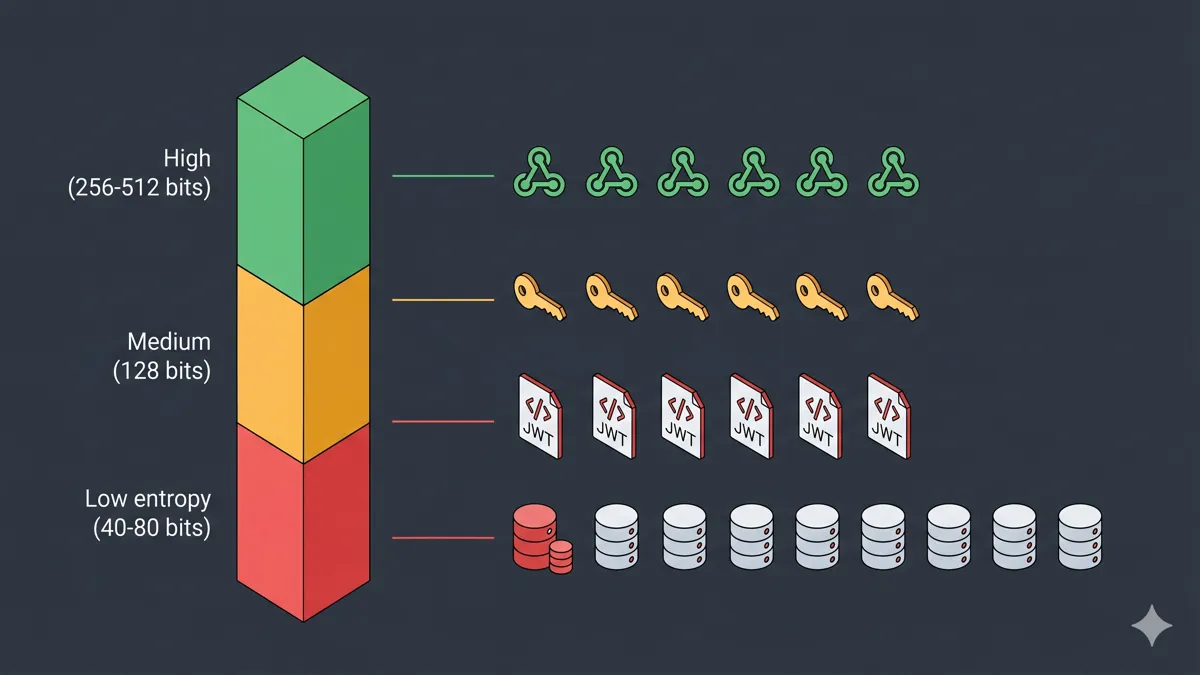
| Variable Type | Recommended Entropy | Output Format |
|---|---|---|
| Database password | 256 bits | Alphanumeric + symbols |
| JWT signing secret (HS256) | 256 bits | Base64 or hex |
| JWT signing secret (HS512) | 512 bits | Base64 or hex |
| HMAC API key | 256 bits | Hex |
| Session cookie secret | 256 bits | Hex |
| OAuth client secret | 256 bits | Alphanumeric |
| Webhook signing secret | 256 bits | Hex |
| Encryption key (AES-256) | 256 bits | Base64 |
For HMAC-signed webhooks and API authentication, use the Hash Generator to verify HMAC-SHA256 signatures client-side — same Web Crypto API approach, zero server exposure. And if you need unique session tokens or correlation IDs, the UUID Generator produces 122-bit cryptographically random UUIDs via crypto.randomUUID().
Runtime Hardening: After You've Fixed the File
Getting the .env file right is table stakes. Runtime hardening is where teams actually prevent production incidents.
Validate on startup. Every required environment variable should be validated at application boot. If DATABASE_URL isn't present, crash immediately with a clear error — don't silently deploy a half-configured app that fails later in production.
const required = ['DATABASE_URL', 'JWT_SECRET', 'API_KEY'];
for (const key of required) {
  if (!process.env[key]) throw new Error(`Missing required env var: ${key}`);
}
Never log environment variables. Disable any debug middleware that dumps process.env in error responses. Scrub secrets from error tracking — Sentry has explicit scrubbing configuration for this.
Use separate IAM roles per service. Each service should only access the secrets it needs — principle of least privilege. A compromised API server shouldn't have read access to your backup encryption key.
Set secret TTLs. AWS Secrets Manager and Vault both support automatic rotation. Enable it. A rotated secret that gets compromised is a non-event. A static secret that gets compromised is an incident review, a postmortem, and possibly a breach notification letter.
🛡️ Security Checkpoint — Complete This Step
Before your next deploy, audit every secret in your stack — weak keys and accidental commits are the leading cause of cloud account takeover in 2026.
- → Generate cryptographically secure secrets — replace any hand-typed or weak
.envvalues immediately- → Check secret strength via entropy calculator — verify existing secrets meet 256-bit minimums
- → Generate HMAC-verified API keys — add message authentication to webhook and API integrations
Frequently Asked Questions
Is it safe to commit a .env file to GitHub?
No. Never commit .env files to version control. Add .env to .gitignore before your first commit — not after the first deployment. If you've already pushed a .env file, treat every secret in it as fully compromised. GitHub indexes commits permanently, even after deletion and history rewrites. Rotate everything immediately: revoke API keys at the provider level, cycle database credentials, generate new signing secrets with a CSPRNG.
What should I use instead of storing secrets in .env?
For production environments, use a dedicated secrets manager: HashiCorp Vault for self-hosted infrastructure, AWS Secrets Manager or GCP Secret Manager for cloud-native deployments, or Doppler if you want a team-friendly SaaS layer across all environments. .env files are acceptable only for local development — never in CI/CD pipelines or production containers. The key distinction is that secrets managers inject values at runtime and never write to disk.
How long should a secret key be?
Minimum 256 bits (32 bytes) for symmetric keys and database passwords. For JWT signing secrets using HS256, use 256 bits; for HS512, use 512 bits. Never hand-type a secret — generate with openssl rand -hex 32 or the Secret Key Generator which uses the Web Crypto API directly in your browser.
What happens if my .env file gets committed to a public repo?
Rotate every secret immediately — assume it's been scraped within minutes. Use the BFG Repo Cleaner to purge it from git history, then force-push the cleaned branch. Notify third-party API providers to revoke the exposed keys. Check your cloud provider's access logs for unauthorized activity from the moment of the commit forward. If any secrets had admin-level access, audit all actions taken under those credentials.
Should I encrypt my .env file?
Encryption at rest helps against physical compromise (stolen laptop) but doesn't address the primary threats: accidental commits and container image leaks. A better model is a secrets manager that never writes to disk and injects values at runtime. If you must store an encrypted .env, tools like sops (paired with AWS KMS or age encryption) are the standard approach for teams that can't yet migrate to a full secrets manager.