Опубліковано: 2026-06-09
Encoding vs Encryption: The Beginner's Guide (2026)
Encoding vs encryption confuses even senior devs. Learn the real difference, why Base64 is not security, and when to use each — with examples.
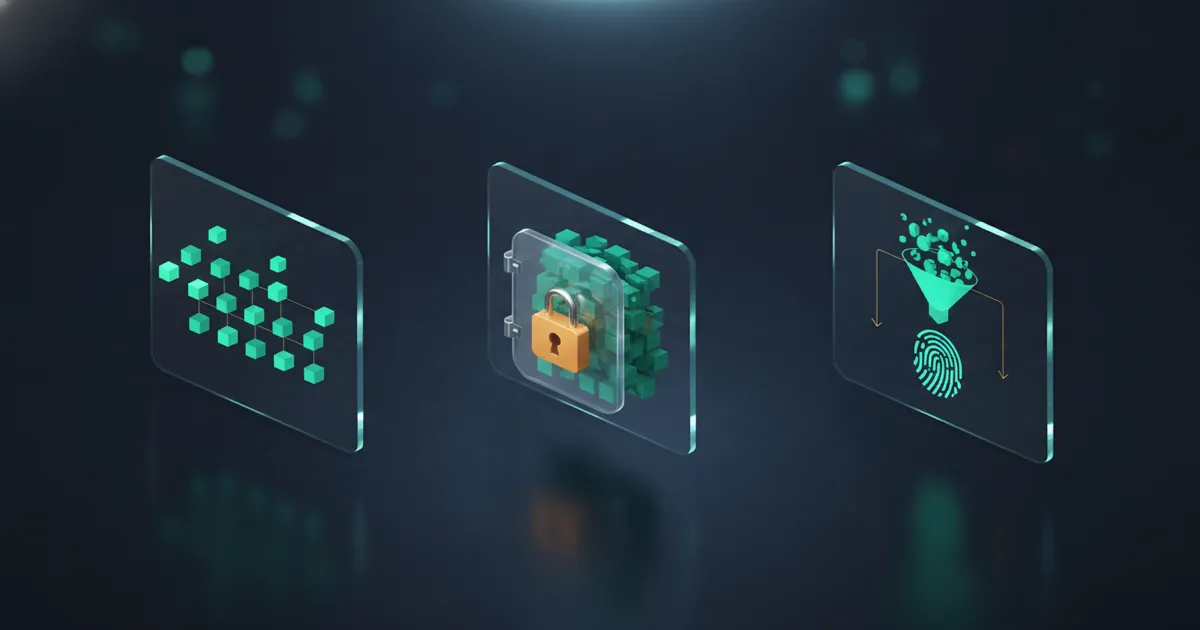
If you've ever stored a password as Base64 and called it "encrypted," this guide is for you. Here's the one-line answer: encoding transforms data into another format anyone can reverse, encryption scrambles data so only a key-holder can reverse it, and hashing turns data into a one-way fingerprint that can't be reversed at all. Three different tools for three different jobs.
The confusion is everywhere — in code reviews, Stack Overflow answers, and far too many production databases. Base64 looks scrambled, so people assume it's secure. It isn't. Decoding it takes one function call and zero secrets. Mixing these three up is one of the most common security mistakes in software, and it's the kind that leaks credentials.
The 30-second mental model
Think of it as three locks with very different keys.
| Concept | Reversible? | Needs a secret key? | Purpose | Example |
|---|---|---|---|---|
| Encoding | Yes — by anyone | No | Data format / transport compatibility | Base64, URL encoding, ASCII, UTF-8 |
| Encryption | Yes — only with the key | Yes | Confidentiality | AES-256, RSA, ChaCha20 |
| Hashing | No — one-way | No (but uses a salt) | Integrity / verification | SHA-256, bcrypt, Argon2id |
Here's the same idea as a flow — watch what happens when someone tries to reverse each one:
                 TRANSFORM                      CAN YOU REVERSE IT?
              ┌──────────────┐
ENCODING      │  "secret"    │── Base64 ──▶ "c2VjcmV0" ──▶ ✅ anyone, instantly
(format)      └──────────────┘                              (no key needed)

              ┌──────────────┐        🔑 key
ENCRYPTION    │  "secret"    │── AES-256 ─▶ "9f3a…b7e1" ─▶ 🔒 only with the key
(secrecy)     └──────────────┘                              (gibberish without it)

              ┌──────────────┐
HASHING       │  "secret"    │── SHA-256 ─▶ "2bb80d…f8a9" ─▶ ❌ never, by design
(proof)       └──────────────┘                              (one-way fingerprint)
If you remember nothing else: encoding is about format, encryption is about secrecy, hashing is about proof. A door with no lock, a door with a key, and a paper shredder.
What encoding actually does
Encoding converts data from one representation to another using a public, published scheme. There's no secret involved. The whole point is interoperability — making sure binary data survives a channel that only expects text, or that a & in a URL doesn't break the query string.
Take Base64 (RFC 4648). It maps every 3 bytes of input onto 4 characters from a fixed 64-symbol alphabet (A–Z, a–z, 0–9, +, /). That's it. The word secret becomes c2VjcmV0. It looks cryptic. It is not.
"secret"  →  Base64 encode  →  "c2VjcmV0"
"c2VjcmV0"  →  Base64 decode  →  "secret"
No key. No password. The alphabet is in the spec. You can decode c2VjcmV0 right now with our Base64 Encoder / Decoder — runs 100% in your browser, zero data sent to any server — and you'll have secret back before you finish reading this sentence.
Why does encoding even exist? Channels lie about what they accept. Email (SMTP) was built for 7-bit ASCII, so binary attachments get Base64-encoded to pass through. URLs reserve characters like ?, &, and space, so they get percent-encoded (%20) — the job of our URL Encoder / Decoder. Encoding is plumbing. It keeps data intact across systems with different rules. It was never meant to hide anything.
What encryption actually does
Encryption takes plaintext plus a secret key and produces ciphertext that's computationally infeasible to reverse without that key. This is the only one of the three that provides confidentiality.
There are two families:
- Symmetric (AES-256, ChaCha20) — the same key encrypts and decrypts. Fast. Used for data at rest, disk encryption, TLS session traffic.
- Asymmetric (RSA, ECC) — a public key encrypts, a private key decrypts. Slower, but solves key distribution. Used for TLS handshakes, signing, and
age/PGP.
        ┌─────────────┐
plaintext ──▶│  AES-256    │──▶ ciphertext  (gibberish without the key)
   +key  ──▶│  encrypt    │
        └─────────────┘

ciphertext ─▶│  AES-256    │──▶ plaintext   (only with the correct key)
   +key   ─▶│  decrypt    │
        └─────────────┘
The security lives entirely in the key, not the algorithm. AES-256 is public — its source is in every crypto library on earth. What an attacker doesn't have is your 256-bit key. And brute-forcing a 256-bit key is not a thing that happens on this side of the heat death of the universe.
This is also where your random source matters. An encryption key generated with Math.random() is a catastrophe — the values are predictable and the entire key space collapses. Avoid tools that use Math.random(). Our Secret Key Generator and Password Generator use the Web Crypto API (crypto.getRandomValues()), ensuring your entropy source is as secure as your operating system's kernel. Zero-Knowledge — both tools process everything in your browser's volatile memory. Nothing is ever transmitted to a server.
How much entropy does a key need?
Key strength is just entropy. The formula is the same one that governs passwords:
$$H = L \times \log_2(R)$$
Where H = entropy in bits, L = the number of symbols (or bytes) in the key, and R = the size of the symbol pool. A raw 256-bit AES key has, by definition, 256 bits of entropy — the pool is binary (R = 2) and L = 256, so H = 256 × log₂(2) = 256. For a key expressed as a passphrase, the math shifts to the EFF wordlist:
$$H = W \times \log_2(7776) \approx W \times 12.9$$
Where W = number of words. Five random words clears ~64 bits; you want considerably more for a master key.
What hashing actually does (the one you can't undo)
Hashing is the odd one out: it's a one-way function. You feed in any input and get a fixed-length fingerprint. You cannot run it backwards. There is no "decode" button, no key that reverses it — the information is genuinely destroyed.
That's the entire point. You store the hash of a password, not the password. At login, you hash what the user typed and compare fingerprints. If your database leaks, attackers get hashes, not plaintext — provided you used a slow, salted algorithm.
This is where the GPU benchmarks bite. Not all hashes are equal:
| Algorithm | RTX 4090 guesses/sec | Verdict for passwords |
|---|---|---|
| MD5 | ~164 billion | Dead. Checksums only. |
| SHA-256 | ~23 billion | Too fast — never raw for passwords |
| bcrypt (cost 10) | ~184,000 | Good — deliberately slow |
| Argon2id | ~15,000 | Best — slow + memory-hard |
A fast hash like SHA-256 is wonderful for file integrity and terrible for password storage — a 4090 chews through 23 billion guesses a second. Slow, memory-hard hashes (bcrypt, Argon2id) exist specifically to make that brute force economically pointless. You can generate and compare fingerprints with our Hash Generator to see the difference live.
For a deeper dive into salting and cost factors, see Salting and Hashing: A Developer's Practical Guide.
The mistake that leaks credentials
Here's the failure mode this whole article exists to prevent:
❌  storedPassword = base64Encode(userPassword)   // "encrypted!" — NO.
✅  storedHash     = argon2id(userPassword, salt)  // one-way, slow, salted
Base64-encoding a password is storing it in plaintext with extra steps. Anyone with read access to that field — a leaked backup, a SQL injection, a curious DBA — decodes it instantly. There is no security boundary. None.
The tell is always the same question: "Can someone reverse this without a secret?"
- Base64 → yes, trivially → it's encoding → not security
- AES without the key → no → it's encryption → confidentiality
- A password hash → no, ever → it's hashing → verification
If the answer is "yes, anyone can reverse it," you have a format, not a defense.
When to use which — a decision table
| You want to... | Use | Why |
|---|---|---|
| Send a binary file through email or JSON | Encoding (Base64) | Survives text-only channels |
| Put a value safely in a URL query | Encoding (URL/percent) | Escapes reserved characters |
| Keep a file secret on disk | Encryption (AES-256) | Reversible only with your key |
| Protect data in transit | Encryption (TLS) | Confidential between endpoints |
| Store user passwords | Hashing (Argon2id/bcrypt) | Never need the original back |
| Verify a download wasn't tampered with | Hashing (SHA-256) | Compare fingerprints |
| Authenticate an API message | HMAC (keyed hash) | Integrity + authenticity |
Notice Base64 never appears in a "keep it secret" row. That's not an accident.
A common real-world combo: all three at once
These aren't competitors — production systems use all three together. A JWT (JSON Web Token) is the textbook example:
JWT = base64url(header) . base64url(payload) . base64url(signature)
                 │                  │                    │
              encoding          encoding          HMAC/RSA signature
                                                  (keyed hash / asymmetric)
The header and payload are Base64-encoded — readable by anyone, by design. The signature is a keyed hash (HMAC-SHA256) or an asymmetric signature that proves the token wasn't tampered with. And the whole thing travels over TLS-encrypted HTTPS. Encoding for transport, signing for integrity, encryption for confidentiality. Each doing its one job.
🛡️ Security Checkpoint — Complete This Step
If anything in your stack treats Base64 as a security layer, that's a plaintext leak waiting for a backup dump. Fix the foundations now.
- → Generate a real encryption key — 256-bit,
crypto.getRandomValues(), neverMath.random()- → Hash before you store — see why SHA-256 ≠ password storage and what to use instead
- → Audit a password's true strength — entropy bits and crack-time, computed locally
Frequently Asked Questions
Is Base64 a form of encryption? No. Base64 is encoding — a reversible format transformation defined by a public standard (RFC 4648) with no secret key. Anyone can decode it instantly using any decoder. It provides zero confidentiality. Encryption, by contrast, requires a secret key to reverse, and without that key the ciphertext is computationally infeasible to crack.
What is the difference between encoding, encryption, and hashing? Encoding transforms data into another format and is freely reversible by anyone (Base64, URL encoding, UTF-8). Encryption scrambles data with a secret key and is reversible only by someone holding that key (AES, RSA). Hashing produces a one-way fingerprint that cannot be reversed at all — verify it with our Hash Generator (SHA-256, bcrypt, Argon2id). Format vs. secrecy vs. proof.
Can you decode Base64 without a key? Yes, instantly. Base64 has no key — it uses a fixed, published 64-character alphabet. Any decoder — including our Base64 Encoder / Decoder — reverses it in microseconds. This is exactly why Base64 must never be used to "hide" passwords, tokens, or any secret. If reversing something needs no secret, it isn't protecting anything.
If hashing can't be reversed, how does password login work? The system doesn't reverse the hash. At login it hashes what you typed using the same algorithm and salt, then compares the two fingerprints. If they match, the password was correct — without the server ever storing or recovering the original. Use a slow, salted, memory-hard algorithm like Argon2id so leaked hashes resist brute force.
Is encrypting better than hashing for passwords? No — hashing is correct for passwords. Encryption is reversible, which means a stolen key exposes every password at once. Hashing is one-way: even with full database access, an attacker only has fingerprints. Use encryption when you genuinely need the original data back (files, messages), and hashing when you only need to verify it (passwords, integrity checks).